


Beat Notes Cyber Music Game
3.914.00 Reviews
App Specs
- Version
- 8.1
- Updated On
- License
- Free
- Downloads
- 1,000,000+
- Developer
- Three Cookers Game
- Categories
- Music
- Platform
- Android
Screenshots

 Analysis by AppCompare
If you're anything like me, you enjoy a rhythm game that gives you something active to do with a song rather than leaving you to listen passively. Beat Notes Cyber Music Game builds its appeal around that simple idea: follow the music, read the incoming notes, and try to stay in time as the patterns get busier. I find that focus more engaging than a game where music is only background decoration, though it also means the experience depends on whether you enjoy concentrating on timing.
That musical focus shapes the way I’d use it. Beat Notes is a free music game from Three Cookers Game, with a 3.7 average from around 900 ratings and over a million installs. It is rated for Everyone, and the current version is 7.8. Those details make it easy to see why it may attract casual players, but the more useful question is whether its rhythm-first play suits the way you want to spend a few minutes with your phone.
Getting in Sync with Beat Notes
When you first dive into Beat Notes Cyber Music Game, you'll be greeted with a sleek, futuristic interface that's almost as exciting as the gameplay itself. The game is designed to be intuitive, so even if you're new to rhythm games, you'll find your way around pretty quickly. The tutorial is clear and concise, guiding you through the basics of hitting notes in time with the beat.
Reading the Beat, Not Just Hearing It
The central appeal is the connection between the soundtrack and the action on screen. As notes arrive, you have to respond in time, which turns listening into a small coordination challenge. I like this format for short breaks because it gives my hands and attention a clear task. It is also a useful way to test whether I can keep a steady sense of timing when a song becomes more demanding.
That focus comes with a practical trade-off: this is not the best choice when you want music to run in the background while you do something else. The notes need attention, and looking away can mean losing the rhythm. I’d pick it when I can give the screen a few minutes, rather than while walking, chatting, or trying to multitask.
Gameplay That Keeps You on Your Toes
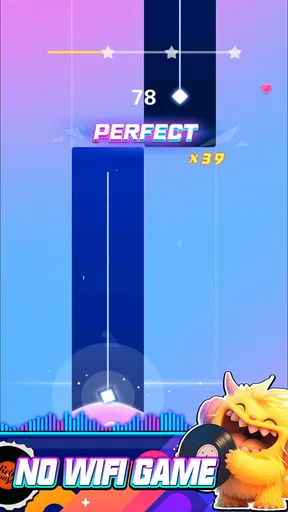
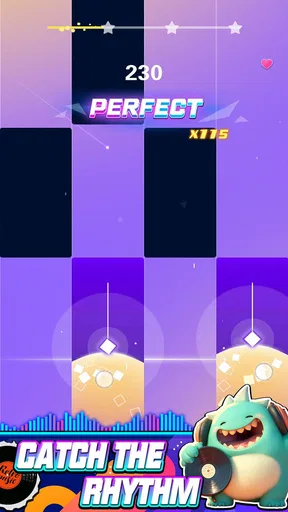
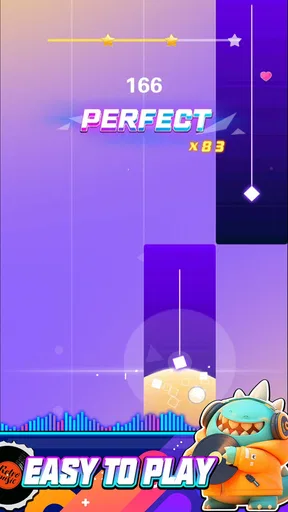
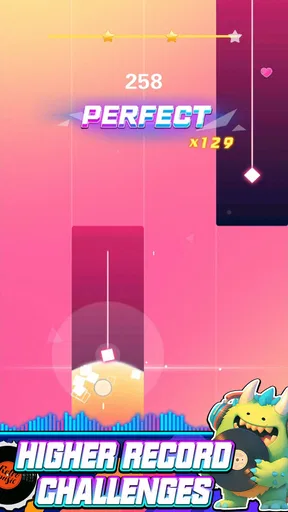
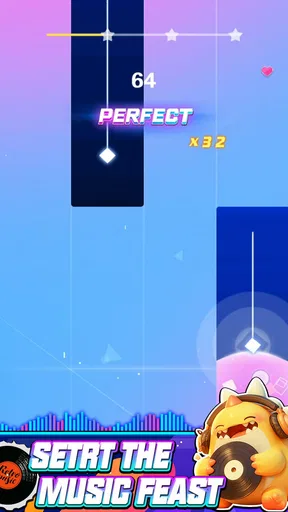
The core of the game is all about precision and timing. As the music plays, notes stream down the screen, and it's your job to tap, slide, or hold them in time. It sounds simple, right? Well, as the tempo picks up, you'll find yourself tapping furiously, trying to keep up with the beat. It's a satisfying challenge, especially when you nail a particularly tricky sequence.
One thing I really appreciated is how the game caters to different skill levels. Whether you're a total newbie or a seasoned rhythm game veteran, there's a difficulty setting that's just right for you. I started on the easier levels and gradually worked my way up, enjoying the sense of progression as my skills improved.
Worth Reading Before You Choose

EA SPORTS FC Mobile 26 Is a Bigger Football Game, but It Takes Time

Flipboard Shows What News Apps Must Do Beyond the Feed

Switching to Android Auto Means Rethinking Your Driving Routine

Google Calendar Makes a Crowded Week Easier to Manage

Ludo King Makes the Most of the Minutes Between Plans

Baby Panda World Brings Quick Play to Modern Phones, but Its Game Library Feels Busy
For a new player, I’d treat the easier setting as a way to learn the visual rhythm, not as a test of musical ability. It can be tempting to jump straight into a faster challenge because the soundtrack feels energetic, but that can make it hard to tell whether a miss came from reacting late or from not yet recognizing the pattern. Building up gradually is a more useful approach: it lets you focus on accuracy first, then decide whether you want the extra pressure.
When a sequence feels difficult, I find it helps to watch the screen a little ahead of the next note rather than staring only at the point where I need to tap. That small shift makes it easier to prepare for a run of actions without guessing. If you are playing in a noisy place, though, relying on the visuals may be less tiring than trying to hear every beat clearly; in a quiet room, the music can make it easier to settle into the timing.
The Soundtrack That Stays with You
No rhythm game is complete without a killer soundtrack, and Beat Notes delivers in spades. The game features a diverse mix of tracks, from adrenaline-pumping electronic beats to more mellow tunes. Each track is carefully crafted to sync perfectly with the gameplay, making every note you hit feel like a part of the music.
I found myself getting lost in the music, sometimes even forgetting that I was playing a game. The beats are catchy, and more than once, I caught myself humming along even after I'd put my phone down.
That makes song choice more than a cosmetic preference. A track whose pulse feels intuitive to you can be a more comfortable place to practice, while a song you like but find rhythmically awkward may demand more attention. I’d start with the music that naturally makes you tap along, then move to less familiar sounds once the controls feel comfortable. It is a small way to keep practice enjoyable instead of turning every session into a score chase.
For anyone wondering whether this is closer to a music player or a conventional arcade game, I’d put it firmly on the game side. The songs are there to support play, and the satisfaction comes from matching actions to the beat. If you mainly want to discover full albums, create playlists, or listen with the screen off, a dedicated music service is a better fit. If you want to interact with pop and electronic-style rhythm in short bursts, this format has a clearer purpose.
Visuals That Pop
The visuals in Beat Notes are nothing short of stunning. The neon colors and dynamic backgrounds create a cybernetic landscape that's both immersive and exhilarating. It's like stepping into a digital rave, where every note you hit adds to the visual spectacle. The animations are smooth, ensuring that the fast-paced action never feels jarring or overwhelming.
What's more, the game is optimized for both Android and iOS, so you can enjoy the vibrant graphics on any device without a hitch. It's a visual treat that complements the audio experience perfectly.
In practical use, vivid effects can help make a music game feel lively, but they can also compete with the notes for your attention. I’d give myself a moment to get used to the screen before attempting a difficult section, especially if I am playing for accuracy rather than atmosphere. If a bright, animated presentation is part of the fun for you, the style is a plus; if you prefer a plain lane and minimal distractions, this cyber look may feel busier than necessary.
A realistic use case is a short pause between errands or a quiet break at home: choose a track, settle into its pulse, and play for a few minutes without needing to plan a long session. I would avoid using that same routine while moving around outdoors. A game that asks you to track notes on a screen is best enjoyed when you can stay still and give it your attention.
Customization and Replayability
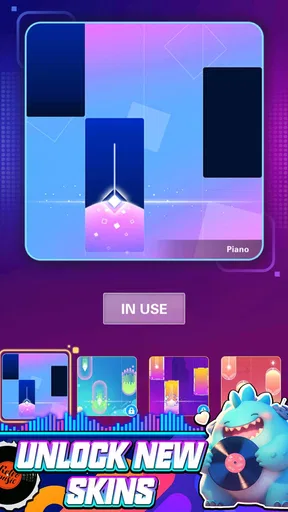
One of the features that kept me coming back for more is the level of customization available. You can tweak the appearance of the notes, choose different backgrounds, and even customize your avatar. It's a nice touch that adds a layer of personalization to the game.
Additionally, the game offers various modes and challenges, keeping things fresh even after multiple playthroughs. Whether you're aiming for a new high score or tackling a new track, there's always a reason to hit "play" again.
My practical tip is to change one visual element at a time if the screen feels hard to read. That makes it easier to judge whether a different note appearance or background actually improves focus, rather than changing several things and not knowing what helped. Customization is most useful when it serves readability or makes a familiar session feel inviting; it is less important if you simply want to start playing immediately.
Replay value also depends on what motivates you. If you enjoy trying to improve your timing, revisiting a track can feel worthwhile even when the music is already familiar. If you need a story, a social competition, or a long-term collection goal to stay interested, a rhythm game built around repeating musical challenges may not hold you for as long. I see it as something to dip into, not necessarily a replacement for a bigger game you play over many evenings.
What to Expect Before You Settle In
Beat Notes is free to start, but it includes optional in-app purchases priced from $3.99 to $39.99 per item. I’d treat those as a reason to check the purchase screen carefully before confirming anything, especially if you are handing the phone to a younger player. The Everyone age rating makes the game broadly approachable, while the presence of paid items means it is still sensible to keep purchase controls in mind.
The game is listed for Android devices running version 6.0 or later. If you are choosing between this and another rhythm title, I’d weigh the emphasis on electronic music, note timing, and a colorful cyber presentation against what you want from the genre. Some alternatives put more weight on instrument simulation, a particular artist, or a quieter interface. Beat Notes makes more sense if you want a bright, quick-play rhythm challenge than if you are looking for a realistic piano lesson or a comprehensive music library.
That distinction matters for beginners, too. A rhythm game can help you pay closer attention to pulse and timing, but I would not treat it as a substitute for learning piano technique. It is designed around game input and keeping up with the on-screen sequence, not the broader practice of reading music or developing instrument skills. If your goal is to learn an instrument, choose a teaching app or lessons; if your goal is to make a song feel interactive, this is the more suitable kind of experience.
Who Will Enjoy the Rhythm Challenge
I’d recommend it most to players who already enjoy tapping along to music, want a quick challenge, or like seeing their timing improve through repetition. It can also suit someone who has tried rhythm games before and wants a different visual mood, as well as a newcomer willing to start gently and learn at their own pace. The free entry point makes trying it straightforward, though the optional purchases are worth keeping in view.
I’d skip it if you dislike fast screen input, get frustrated by missed timing, or mainly want a calm listening experience. It is also a poor match for anyone seeking structured piano instruction, since its appeal is playing along with game notes rather than building a real-world musical curriculum. A less flashy rhythm title may be better if clear, restrained visuals matter more to you than a neon atmosphere.
Final Thoughts
Overall, Beat Notes Cyber Music Game hits all the right notes for a rhythm game. It's engaging, visually appealing, and boasts a soundtrack that you'll want to listen to even outside the game. It's perfect for a quick gaming session or a longer playthrough when you're in the mood for some musical fun.
So, if you're ready to test your rhythm skills and immerse yourself in a world of beats and neon lights, give Beat Notes Cyber Music Game a try. Trust me, it's a beat you won't want to miss!
Pros
- Addictive gameplay with rhythmic challenges.
- Stunning visuals enhance the gaming experience.
- Diverse music library keeps it fresh.
- Intuitive controls make it easy to play.
- Regular updates with new tracks.
Cons
- In-app purchases can be costly.
- High battery consumption during play.
- Requires internet for full features.
- Occasional lag on older devices.
- Ads can interrupt gameplay.
FAQs for Beat Notes Cyber Music Game
What is Beat Notes Cyber Music Game about?
Beat Notes Cyber Music Game is an immersive rhythm-based game where players tap, swipe, and hold to the beat of electrifying music tracks. The game combines vibrant visuals with a futuristic cyber theme, offering a captivating experience for music and gaming enthusiasts alike. Players can explore various levels while enjoying a dynamic soundtrack.
Is Beat Notes Cyber Music Game suitable for all ages?
Yes, Beat Notes Cyber Music Game is designed to be enjoyed by players of all ages. The game’s content is family-friendly, with no inappropriate material, making it suitable for younger players. However, the difficulty may vary, so younger children might require some guidance or practice to master the controls.
What are the device requirements for Beat Notes Cyber Music Game?
Beat Notes Cyber Music Game is available for Android and iOS devices. For optimal performance, it is recommended to have a device running Android 5.0 or iOS 10.0 and above, with at least 2GB of RAM. Ensuring your device meets these requirements will provide a smooth and enjoyable gaming experience.
Does Beat Notes Cyber Music Game offer in-app purchases?
Yes, the game includes in-app purchases. Players can buy additional music tracks, customization options, and power-ups to enhance their gameplay. While the game can be enjoyed without spending money, these purchases can provide an added advantage and allow for a more personalized experience.
Can I play Beat Notes Cyber Music Game offline?
Beat Notes Cyber Music Game requires an internet connection to download new tracks and access certain features. However, once the tracks are downloaded, players can enjoy the game offline. It’s ideal for those who want to play on-the-go without worrying about connectivity issues.


